

Run a marketplace with many sellers
Let outside sellers list and sell in your store, and keep exact books: commission, fees, VAT, balances, payouts and statements, all in one admin. Multi-language, with a seller portal of its own.
Who it is for
A store that wants outside sellers
Grow your range the way the big marketplaces do: invite sellers, keep your own products too, and earn a commission on what they sell.
A mall or a brand group
Many shops under one roof, one storefront and one checkout, with each shop seeing only its own products, orders and money.
A B2B supplier network
Suppliers list their goods, your team keeps control of prices, fees and payouts, and finance gets a clear record of every movement.
How it works
One flow from the seller joining to the paperwork, and every step is recorded.
A seller joins
You invite the seller, they add their products and bank details in their own portal.
A customer buys
One storefront and one checkout. The order is split by seller.
Commission and fees
Your fee rules are applied and frozen on each order line, so later changes never rewrite history.
Holding period
The money is held until the return window and your hold days have passed.
Seller balance
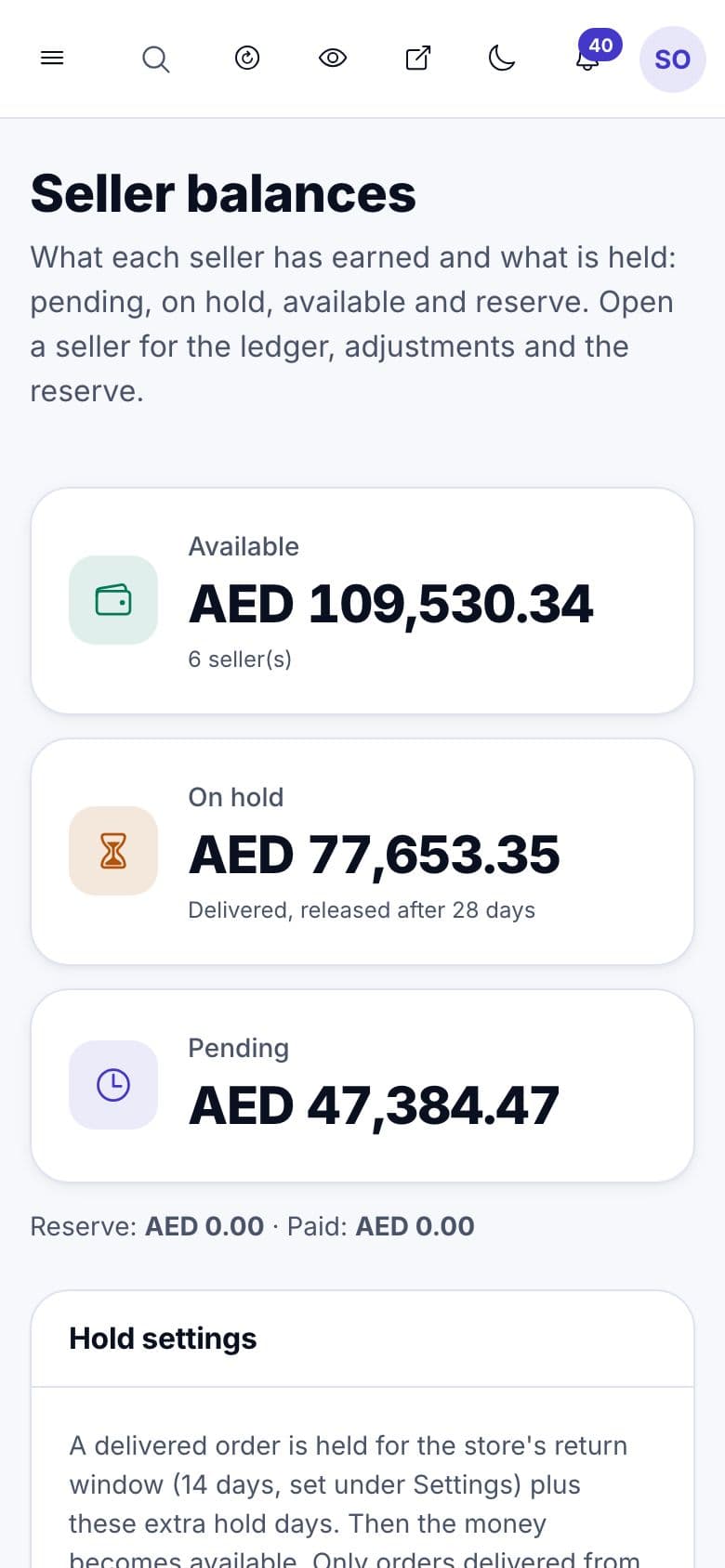
The sale moves to the seller's available balance. Pending, on hold, available and reserve are always visible.
Payout run
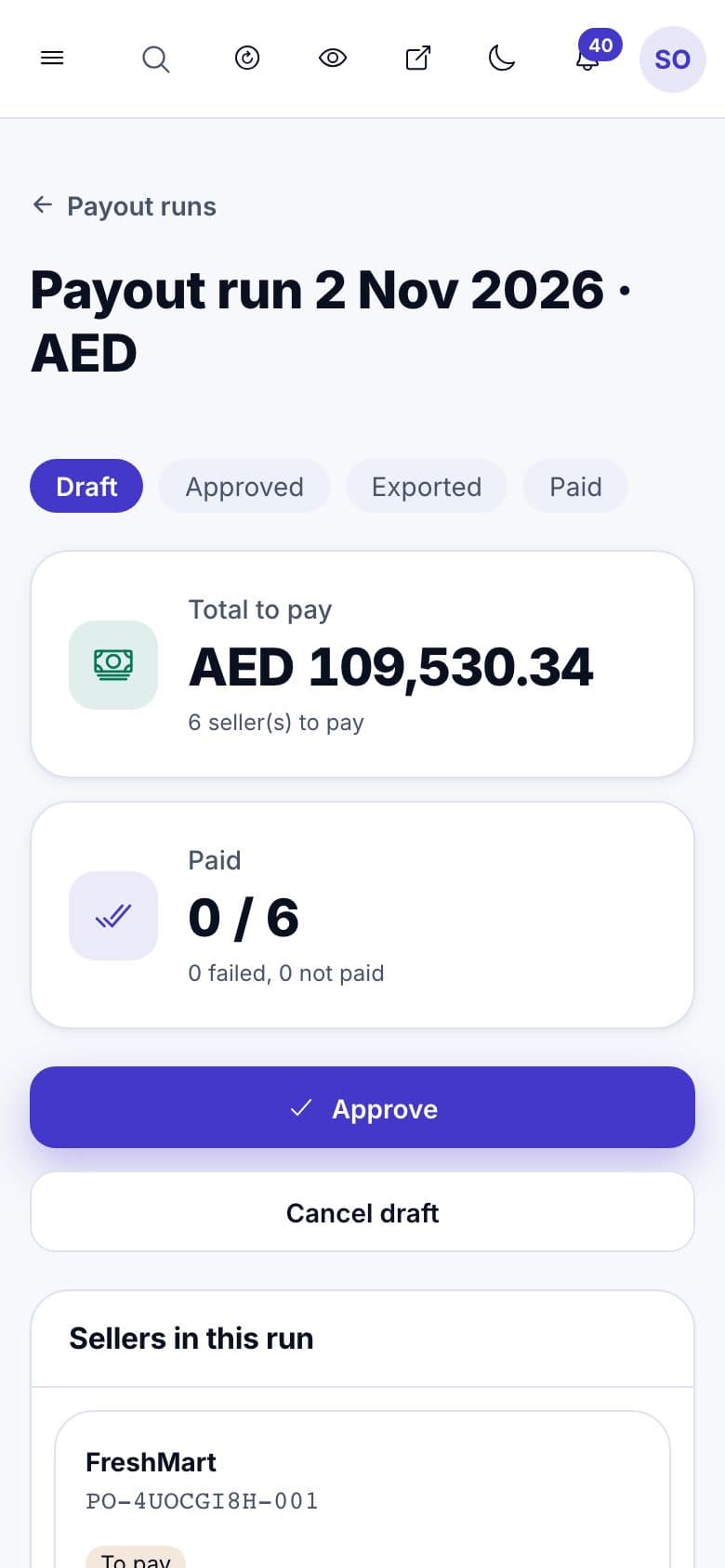
On your schedule the system drafts a run. You check it, download one bank file, pay at your bank and mark each seller as paid.
Statement and invoice
The seller gets a statement and a tax invoice for your fees, as PDFs in either language.
A worked example
One 100 SAR sale with a 10% commission and 15% VAT on fees. Your own rules can differ by category, seller and fee type.
- Customer pays
- SAR 100.00
- Your commission (10%)
- − SAR 10.00
- VAT on your fee (15%)
- − SAR 1.50
- The seller keeps
- SAR 88.50
The same numbers come out of the product's fee engine and show on the order, the seller's statement and your fee invoice.
What you get
Everything a store owner, a seller and a finance team need, built into the admin.
Seller portal and roles
Sellers sign in to their own portal with their own team: admin, finance and sales roles.
Own products and orders only
A seller sees and edits only their own products, orders and balances.
Flexible fee rules
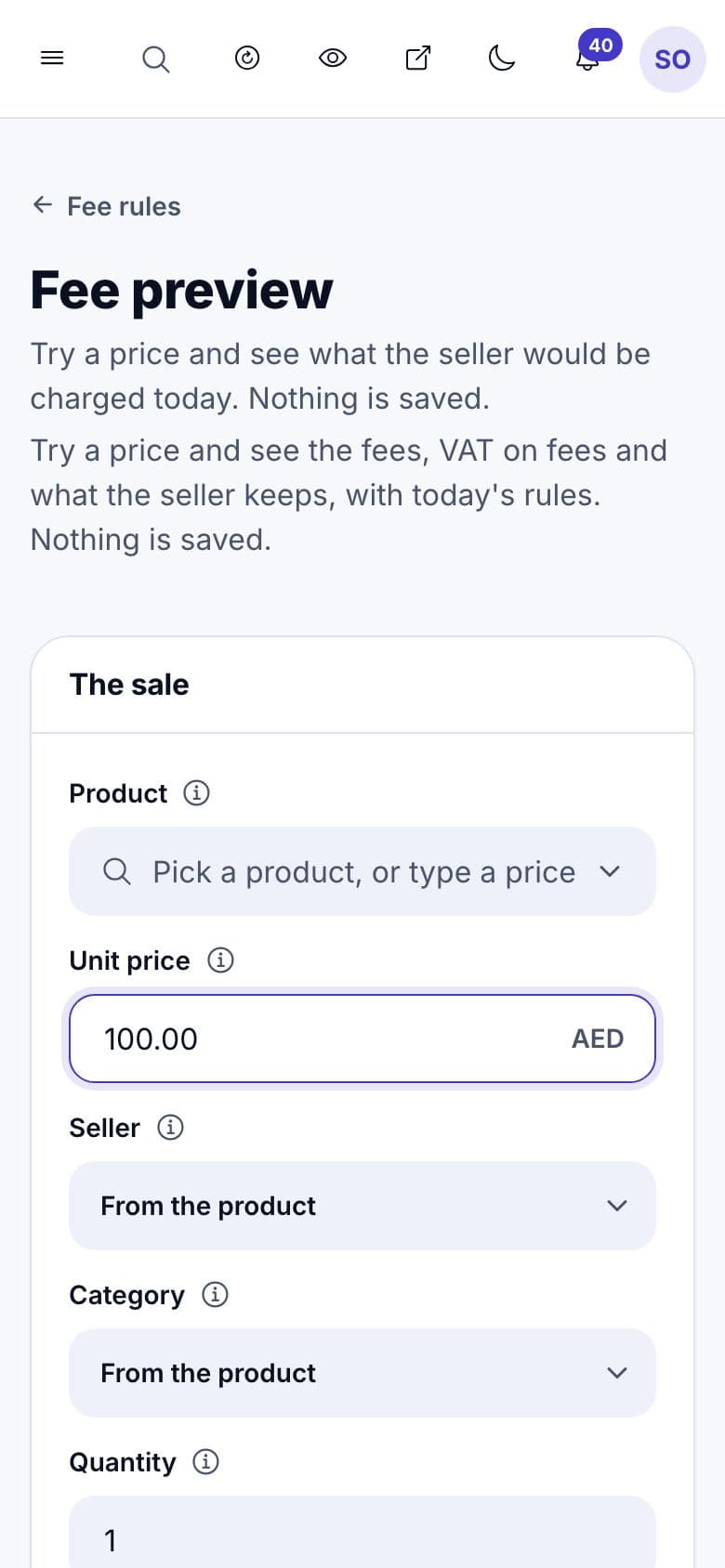
Commission by category or seller, closing, fulfilment and payment or cash-on-delivery fees, refund fees and VAT on fees, with a preview before you save.
Balances and holds
An immutable ledger of every sale, fee, refund and adjustment, return-window holds, an optional reserve and a nightly check that balances add up.
Payout runs
Weekly, every two weeks or monthly, a minimum payout, a second approver for big runs, a bank-transfer file and Mark as paid or a bank result upload.
PDF documents
Settlement statements, fee tax invoices with a QR code, credit notes and payout advices with numbers that never skip, in either language.
Reports and reconciliation
Sales, fees, VAT, returns, payouts and balance ageing by date, seller, category and channel, exported as files Excel opens, with orders, ledger and payouts checked against each other.
Finance and sales roles
Your own team gets the access it needs: finance sees every figure, sales sees sales and returns.
For every person involved
The store owner
Control and earnings: you set the rules, see your commission income by month, approve payouts and know every figure is traceable.
The seller
A simple portal: products, orders, balance in four parts, payouts, bank details and clear statements and invoices.
The finance team
Exact maths to the last unit of the currency, a full audit trail, approvals by a second person and exports for the accountant.
See it in the admin
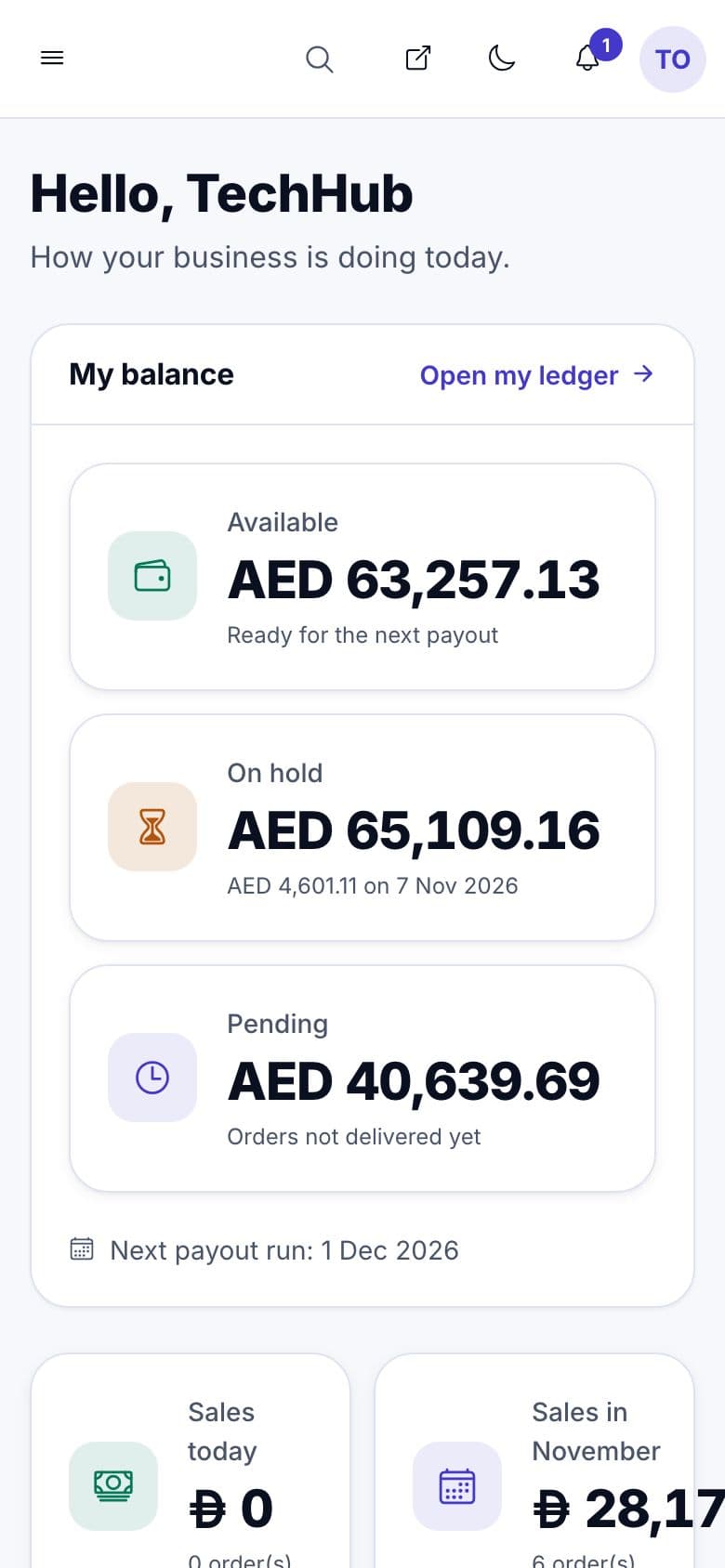
Screens from the demo store. Open the live demo to click through them yourself.
- admin.your-store.com
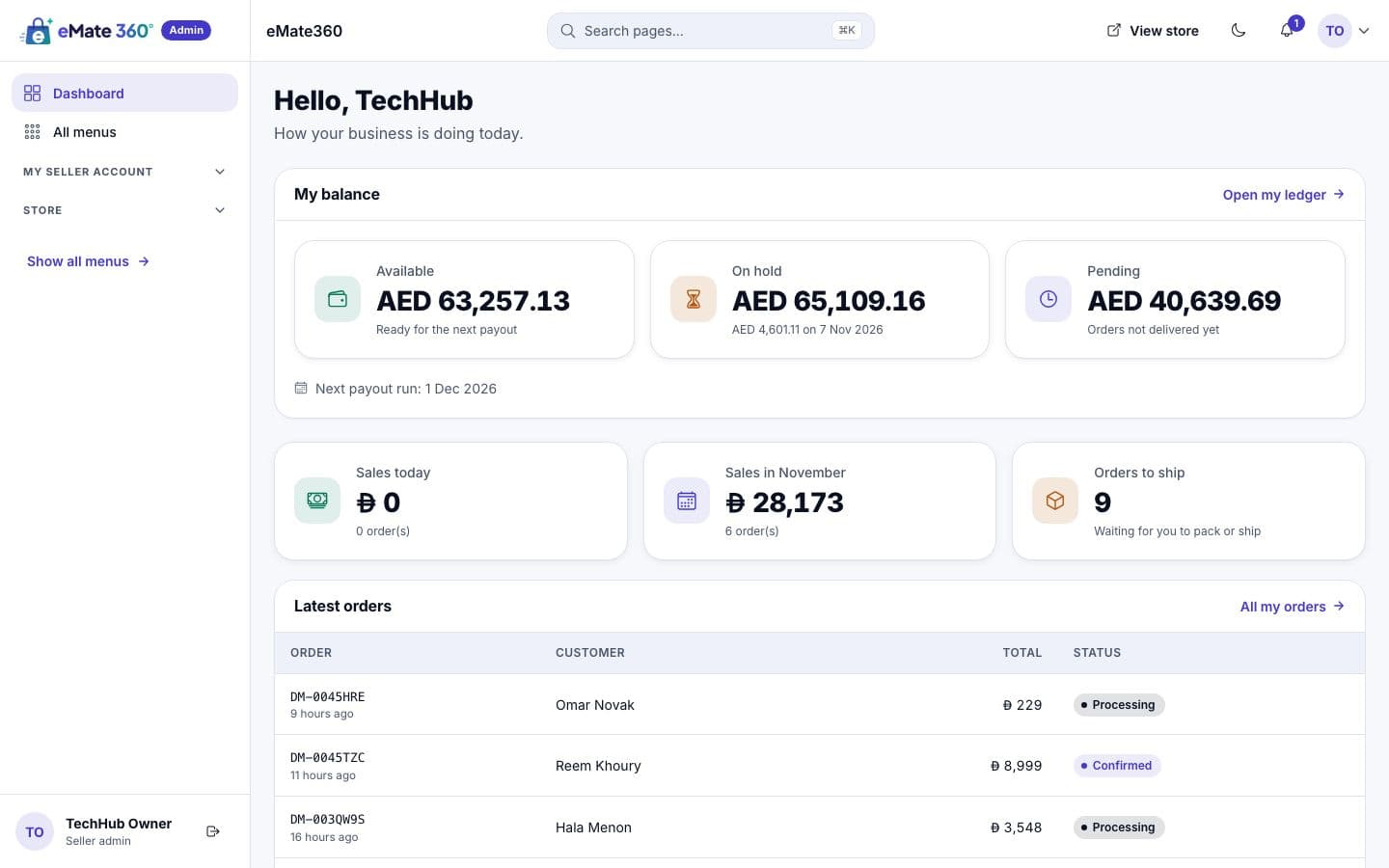
Seller portal
- admin.your-store.com
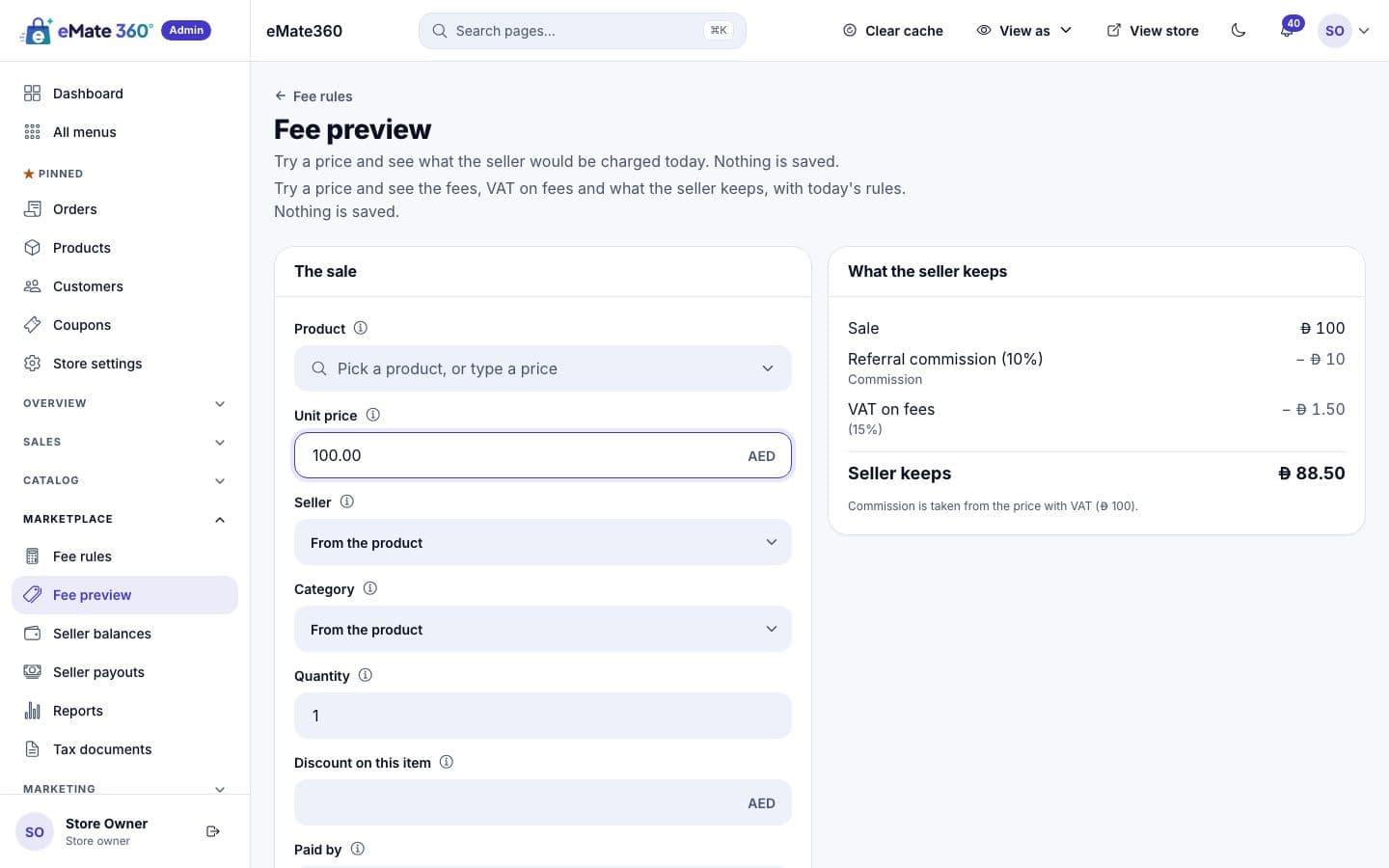
Fee preview
- admin.your-store.com
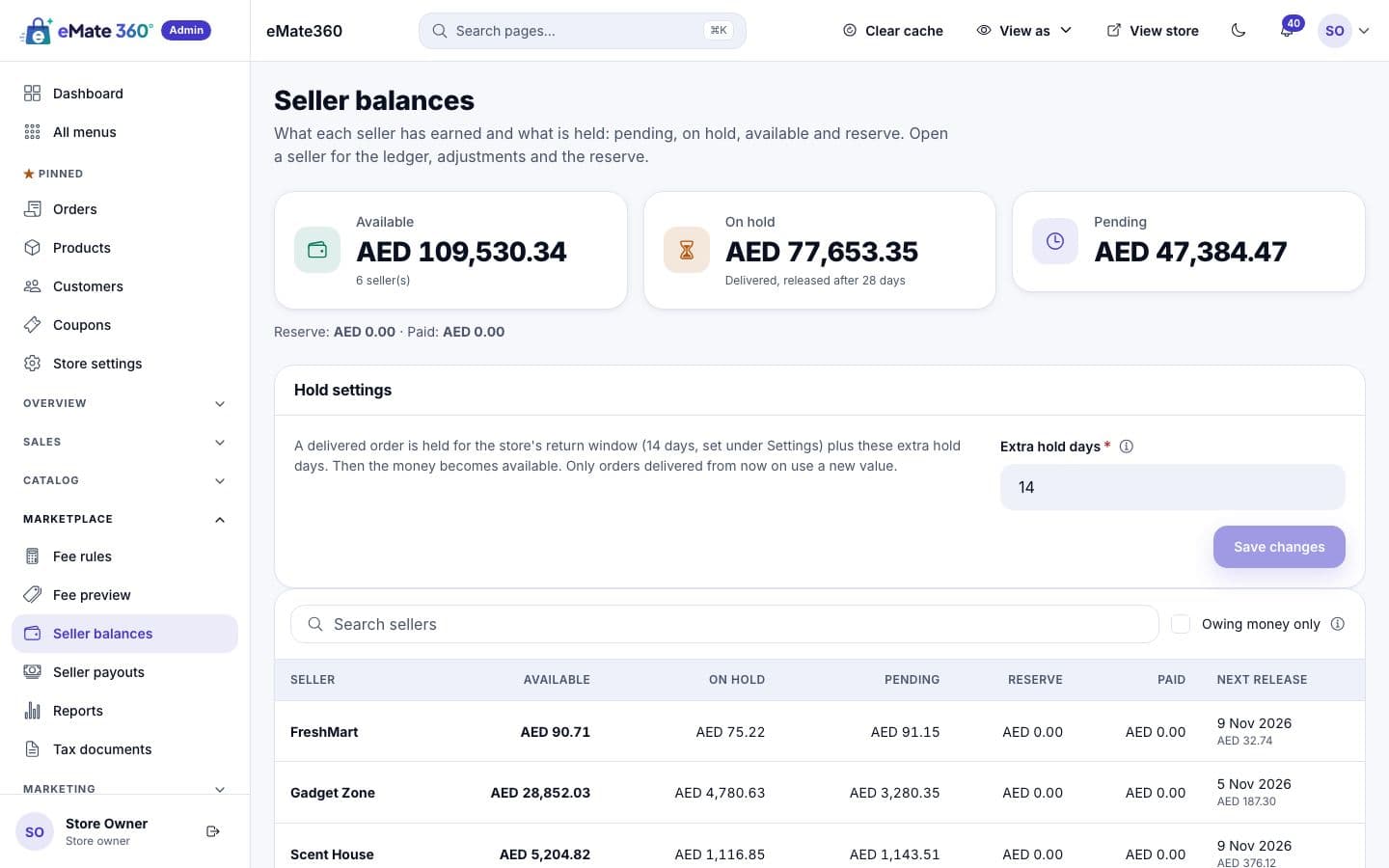
Seller balances
- admin.your-store.com
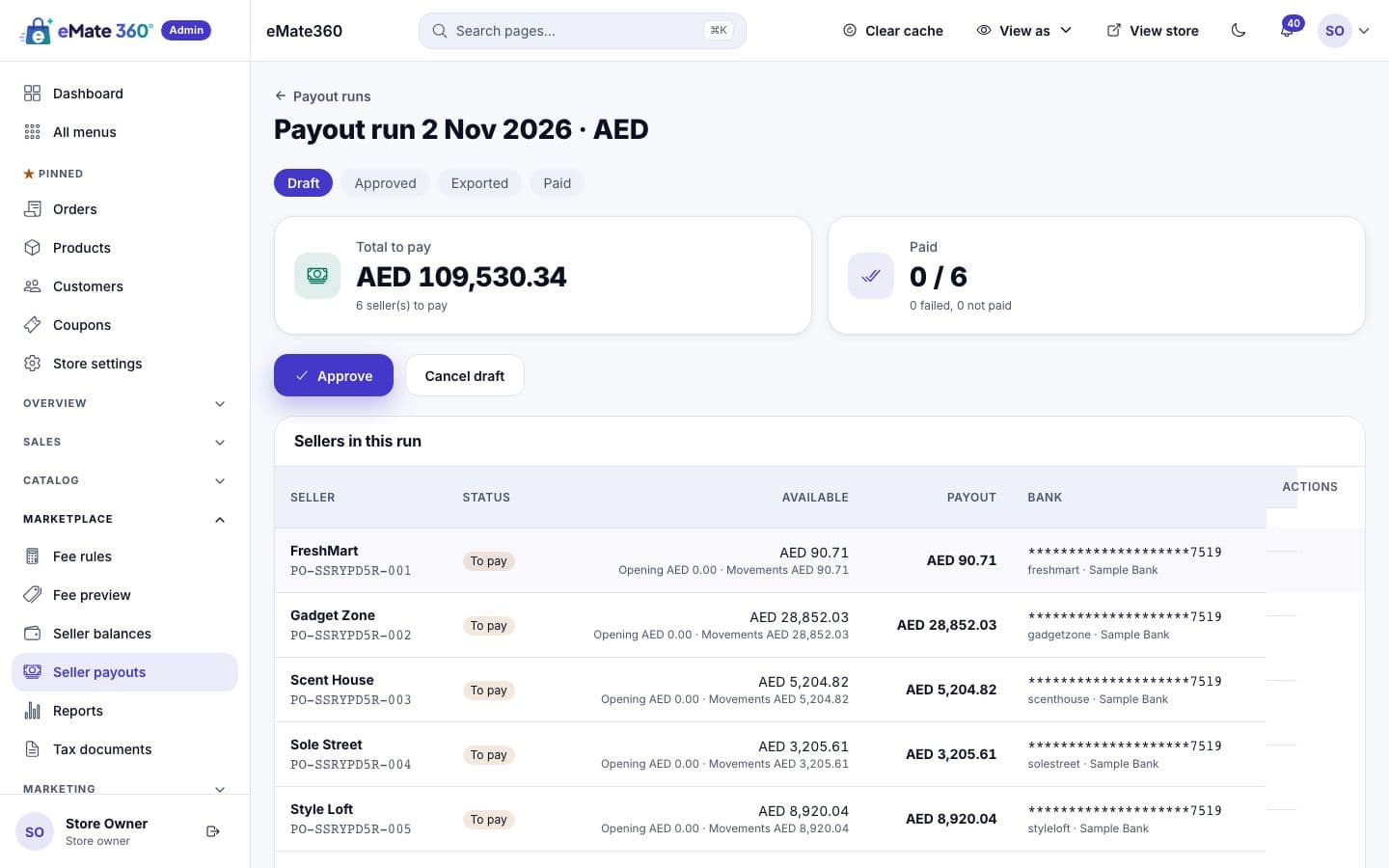
Payout run
On the phone
What it does today, and what comes later
We prefer to be exact about scope.
Today
- Payouts by bank transfer: you download the file, pay at your bank and mark each seller as paid.
- Statements, fee invoices and credit notes as PDFs.
- Orders, the ledger and payouts reconciled inside the product.
On the roadmap
- Automatic split payments through payment gateways.
- ZATCA phase 2 e-invoicing for Saudi Arabia.
- Importing gateway settlement files into reconciliation.
Questions about marketplaces
Can I charge different commissions per category?
Yes. Fee rules can differ by category or by seller, and you can add closing, fulfilment, payment and refund fees. A preview shows the result on a sample line before you save.
What happens to refunds after a payout?
The refund is recorded in the seller's ledger and the fees are given back in the same way. If the balance goes below zero, later sales pay it back, so nothing is lost.
What can a seller see?
Only their own products, orders, balance, payouts and documents. Their bank account number is shown masked, and a change to it holds the next payout for 48 hours.
Which plans include marketplace sellers?
Marketplace sellers are a module of the platform, so availability depends on the plan. See Pricing, or ask us and we will confirm it in your demo.
How often can I pay sellers?
Weekly, every two weeks or monthly, with a minimum payout. The system drafts the run, you check it, and large runs need a second person to approve.
See a marketplace in action
Book a demo and we will walk you through the seller portal, the fee rules and a payout run.